
From FastAPI to Production on AWS: What Really Happens
#TL;DR
I tried to deploy a “simple” FastAPI backend.
I ended up building a full production-grade cloud system.
This post documents what actually happens when you take a backend from local development to AWS production — including every architectural decision, mistake, and lesson learned along the way.
🔗 Source code:
https://github.com/sofman65/cloud-doc-intel
#Why I Built This
Most tutorials stop at:
docker builddocker run- maybe a managed PaaS
But real production systems force you to understand:
- infrastructure
- networking
- security boundaries
- deployment pipelines
- failure modes
I wanted a hands-on, honest project that I could confidently discuss with fellow engineers.
So I built Cloud Doc Intel.
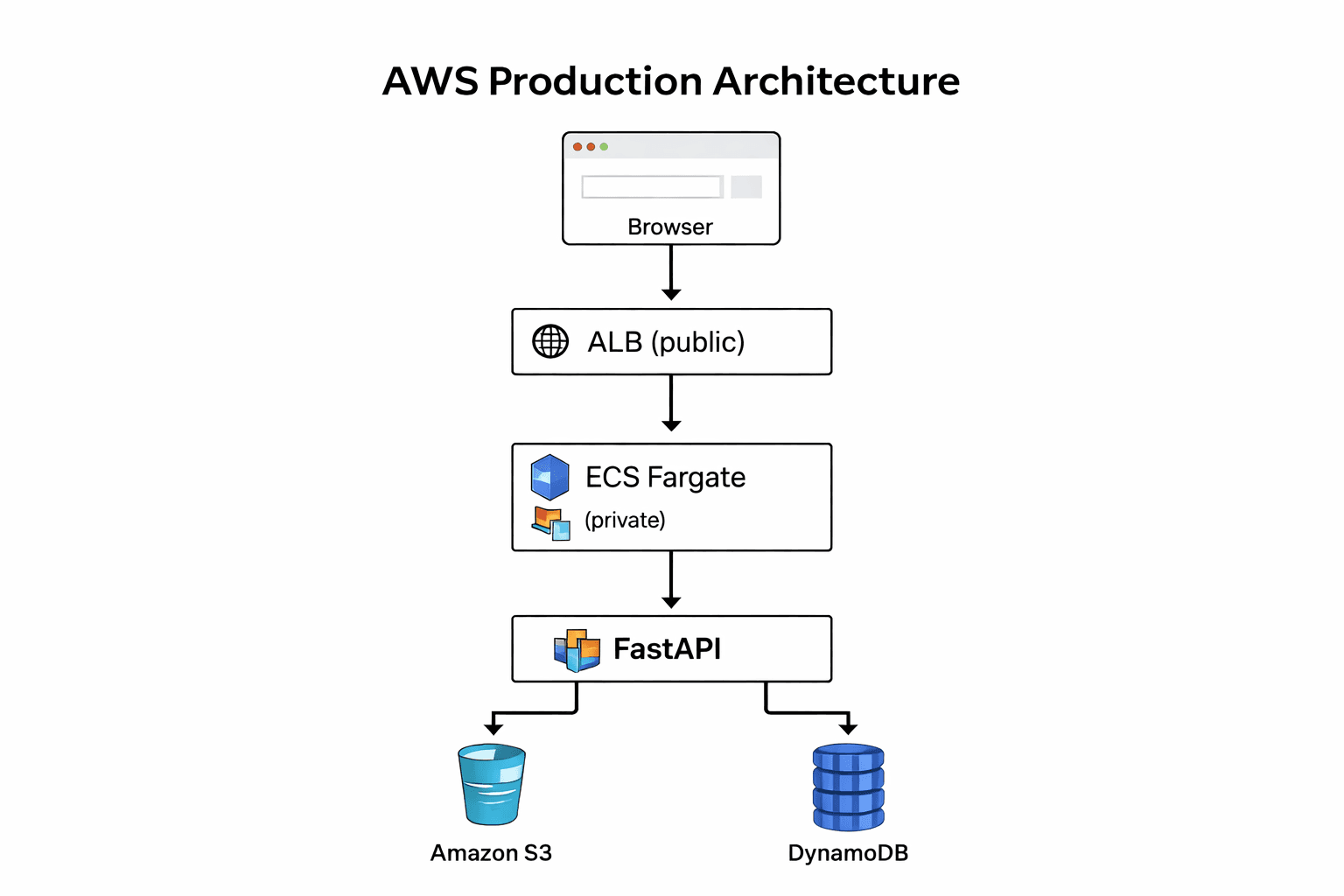
#The Goal
Build a backend system that:
- Exposes a FastAPI REST API
- Stores documents in S3
- Stores metadata in DynamoDB
- Runs on AWS ECS Fargate
- Is fully reproducible via Terraform
- Uses CI/CD to deploy automatically
- Is AI-ready (RAG architecture)
#Step 1 — FastAPI Backend
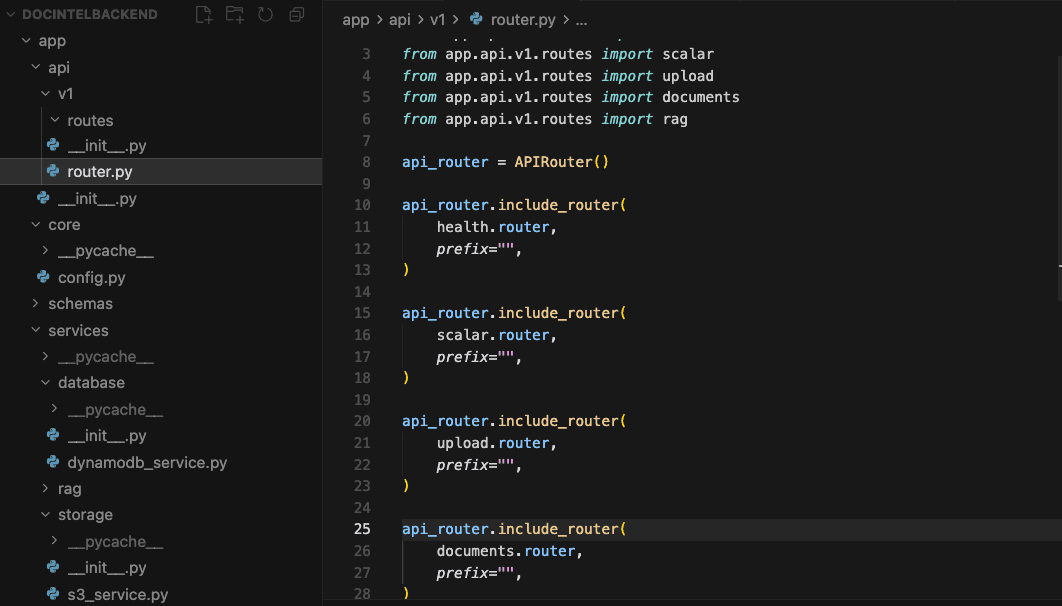
I started with a clean FastAPI application:
/api/v1/health/api/v1/documents/api/v1/upload
Clear separation of:
- routes
- services
- AWS integrations
Smoke-tested all routes in Scalar before touching AWS.
At this stage, everything worked perfectly locally .
That was the easy part.
#Step 2 — Docker (And the First Surprise)
I containerized the app using Docker.
Everything built.
Everything ran.
Until AWS entered the picture.
I was developing on Apple Silicon (ARM64).
AWS Fargate expects linux/amd64.
The result?
CannotPullContainerError:
image Manifest does not contain descriptor matching platform 'linux/amd64'
This forced me to learn multi-architecture Docker builds using docker buildx.
That moment alone was worth the project.
#Step 3 — ECR: Container Registry
The container image is pushed to Amazon ECR.
ECR is:
- private
- secure
- IAM-controlled
This is where ECS pulls images from at runtime.
No image → no service.
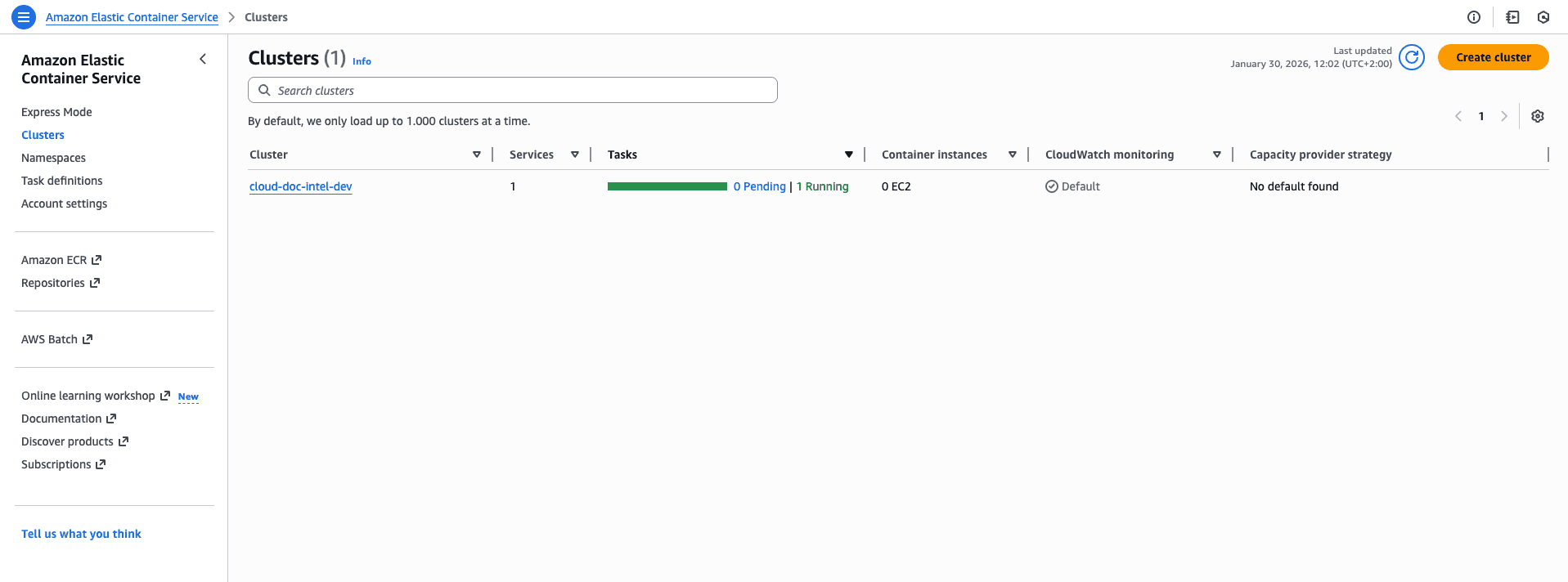
#Step 4 — ECS Fargate: Running the Container
Instead of managing servers, I used ECS Fargate.
Key concepts I had to understand:
- task definitions
- execution roles
- awsvpc networking
- service vs task lifecycle
This is where things got real.
#Step 5 — Networking: ALB, VPC & Security Groups
This part caused the most confusion — and the most learning.
I had to correctly wire:
- Application Load Balancer (public HTTP entry point)
- Target Group (health checks)
- ECS Tasks (private containers)
- Security Groups (who can talk to whom)
One wrong ingress rule = 504 Gateway Timeout.
Once fixed:
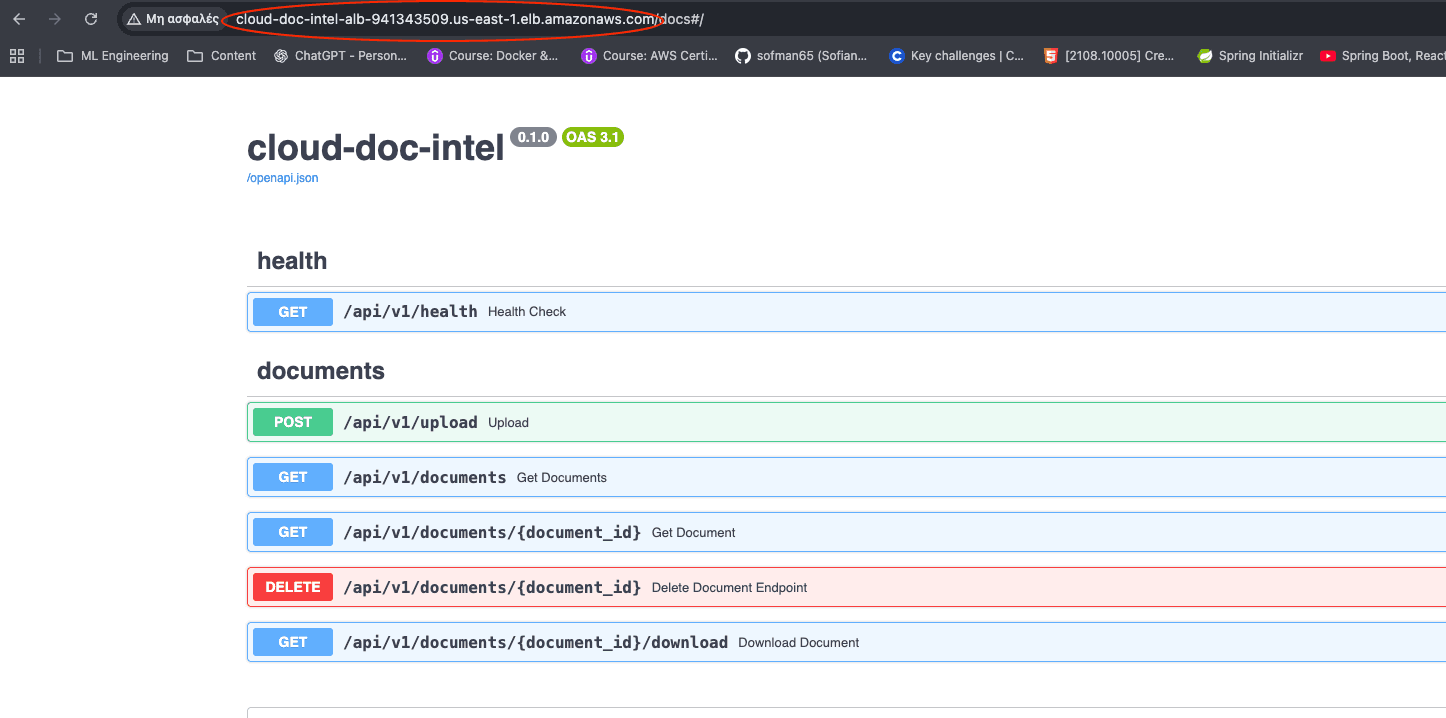
That moment felt amazing!
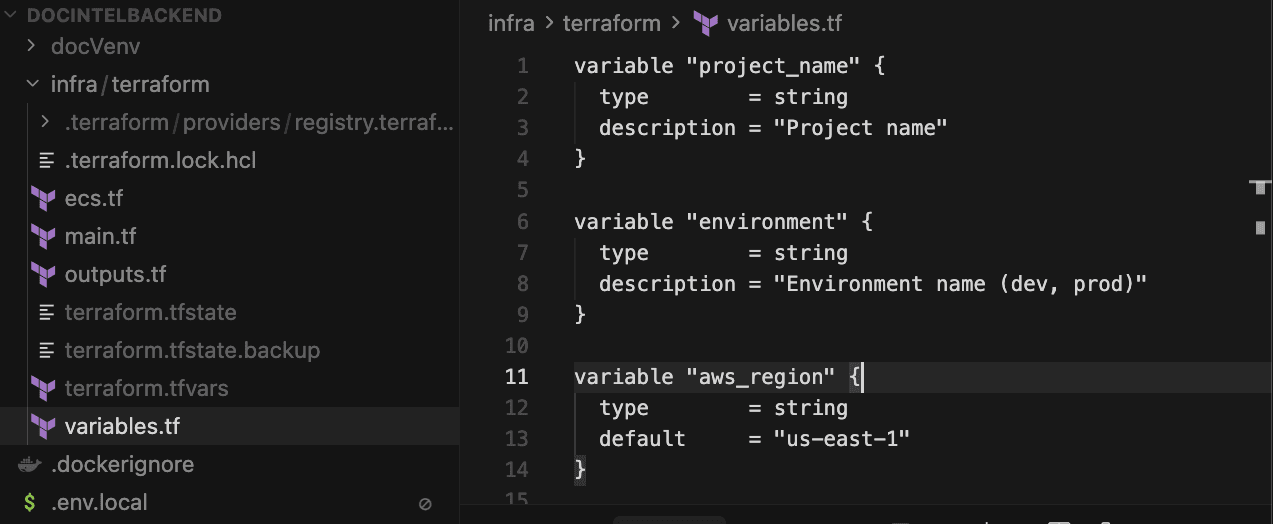
#Step 6 — Terraform: Infrastructure as Code
Everything is managed via Terraform:
- ECS cluster
- IAM roles
- ALB
- Security groups
- DynamoDB
- S3
- CloudWatch logs
This gave me:
- reproducibility
- versioning
- confidence
No clicking in the AWS console.
#Step 7 — CI/CD with GitHub Actions
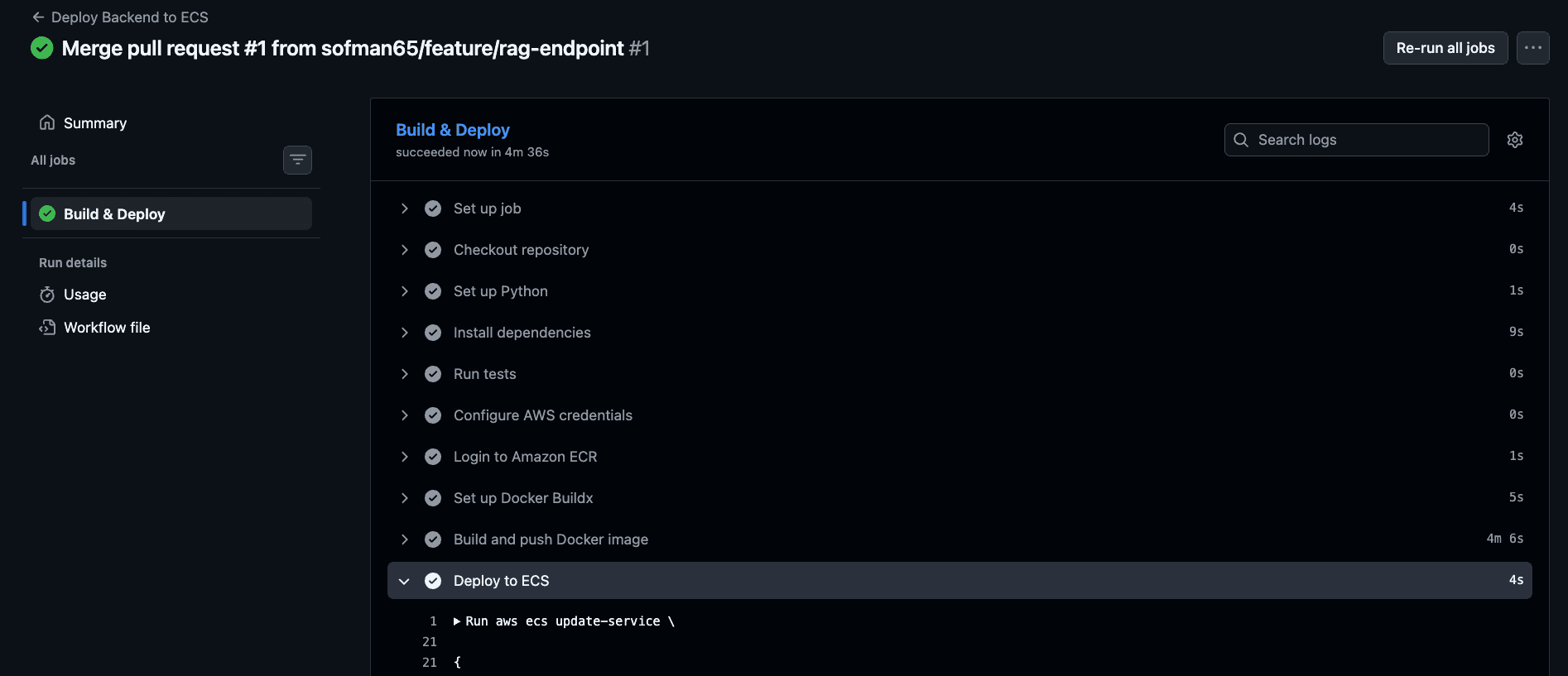
Every push to main now:
- Runs tests
- Builds a multi-arch Docker image
- Pushes to ECR
- Triggers ECS rolling deployment
No SSH.
No manual deploys.
This is how real teams ship.
#Step 8 — Toward AI-Ready (RAG-Compatible)
The backend is RAG-compatible, but not fully AI-ready yet. Today it has:
- embeddings via Amazon Bedrock (Titan)
- metadata in DynamoDB
- documents in S3
What’s still missing for true RAG:
- a vector store (e.g., OpenSearch vector index, Pinecone, Qdrant, Weaviate) for similarity search
- a retrieval layer that queries the vector index and fetches source documents
Even without the vector DB wired up, the architecture is positioned to add it with minimal changes.
#Lessons Learned
- “Simple backend” ≠ simple in production
- Docker ≠ deployment
- Cloud forces you to understand systems
- Debugging infra is a different skill than coding APIs
- Tooling matters less than mental models
#Links
🔗 Source Code:
https://github.com/sofman65/cloud-doc-intel
If this saves you a few days of confusion — it did its job.